
Understand the framework, examples and evidence standards before applying them.
Framework module →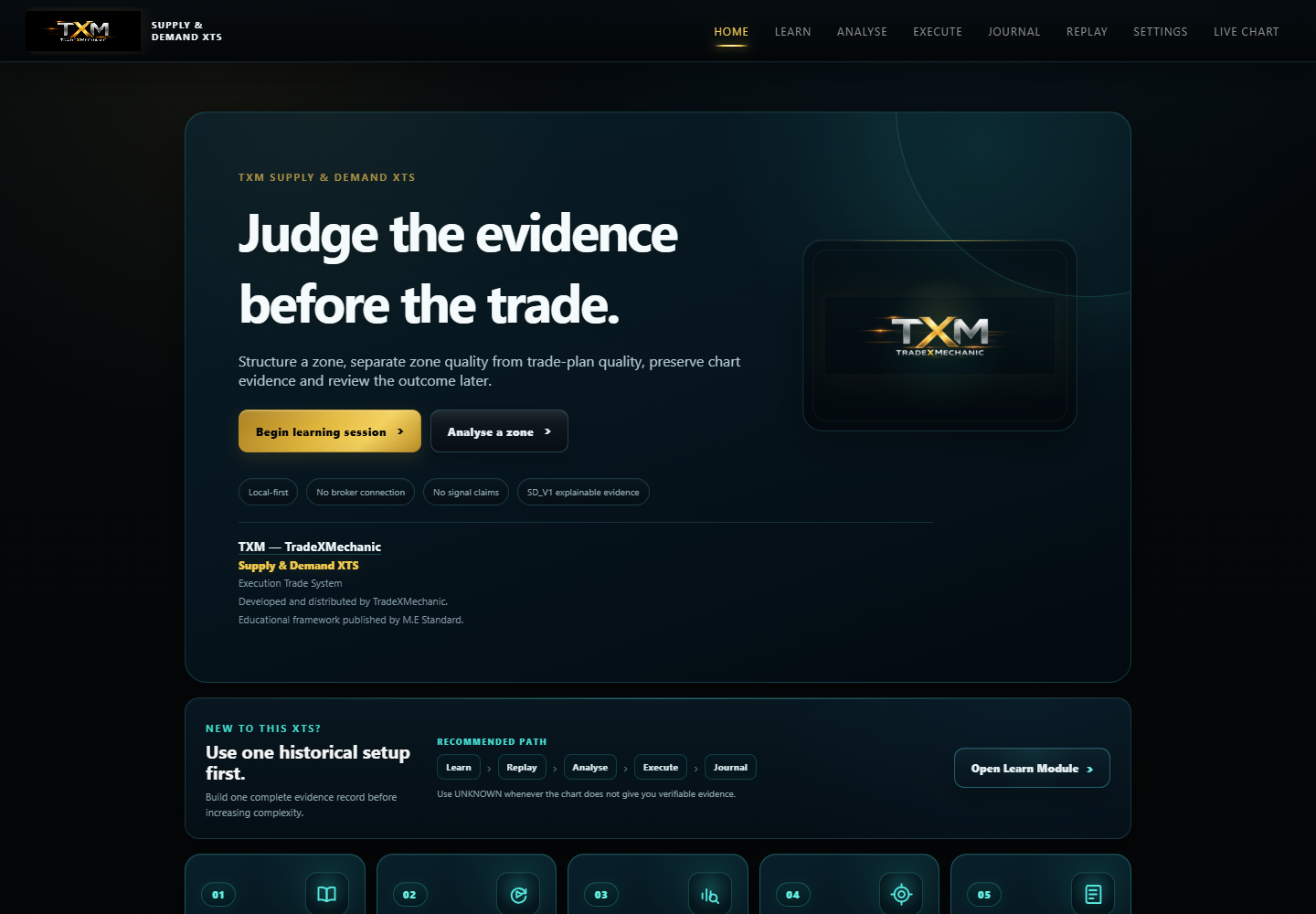
01 · PRODUCT OVERVIEW
A dedicated trading-process workspace.
Start from a clean home screen and move through Learn, Replay, Analyse, Execute and Journal without broker clutter.
Structured workflowOne visible process from context to review.
Evidence-based decisionsRecord what was actually known before outcome.
Journal everythingPreserve the decision record and review it later.
Desktop + mobileCarry the same evidence process across screens.
SUPPLY & DEMAND XTSAUD $129launch price · one-time purchase
CHECKING COMMERCE STATUS
NEW TO THIS XTS?
Use one historical setup first.
Build one complete evidence record before increasing complexity.
RECOMMENDED PATH
Open workflow ↓
Learn→Replay→Analyse→Execute→Journal
Use UNKNOWN whenever the chart does not give you verifiable evidence.Use historical Bar Replay exercises, lock decisions before reveal, and diagnose the hidden no-trade challenge.
Practice module →Record HTF context, zone evidence, room and confirmation.
Evidence module →Define entry, invalidation, target and reward-to-risk before commitment.
Plan module →Review outcomes, compare before/after evidence and keep repeatable lessons.
Review module →INSIDE THE PRODUCT
See what you are buying.
Selected previews from the certified customer application. They show the interface, workflow and review experience without publishing answer keys, completed Replay outcomes or the protected framework in full.
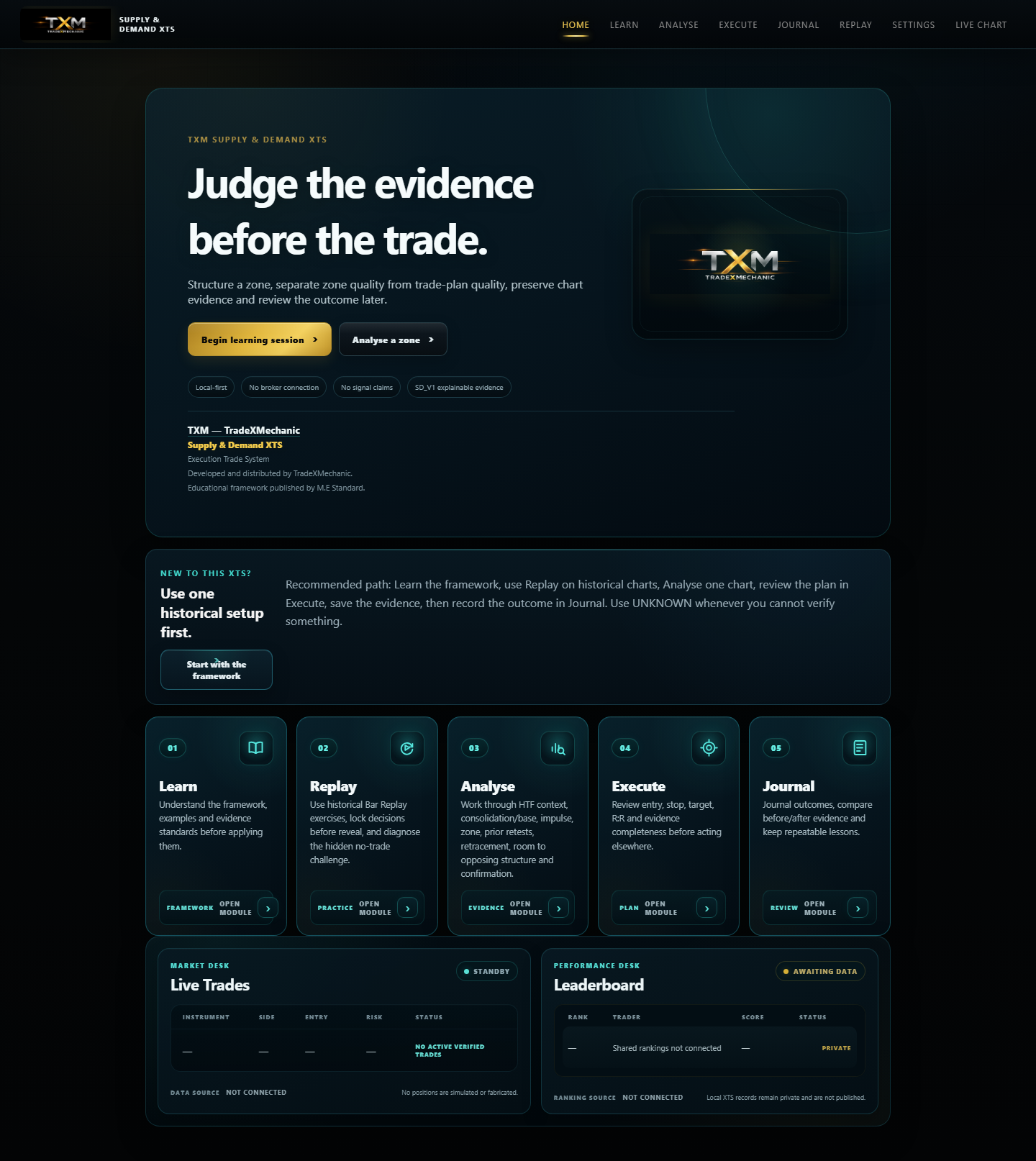
Each stage has a defined role so context, setup quality, execution planning and review do not collapse into one subjective decision.
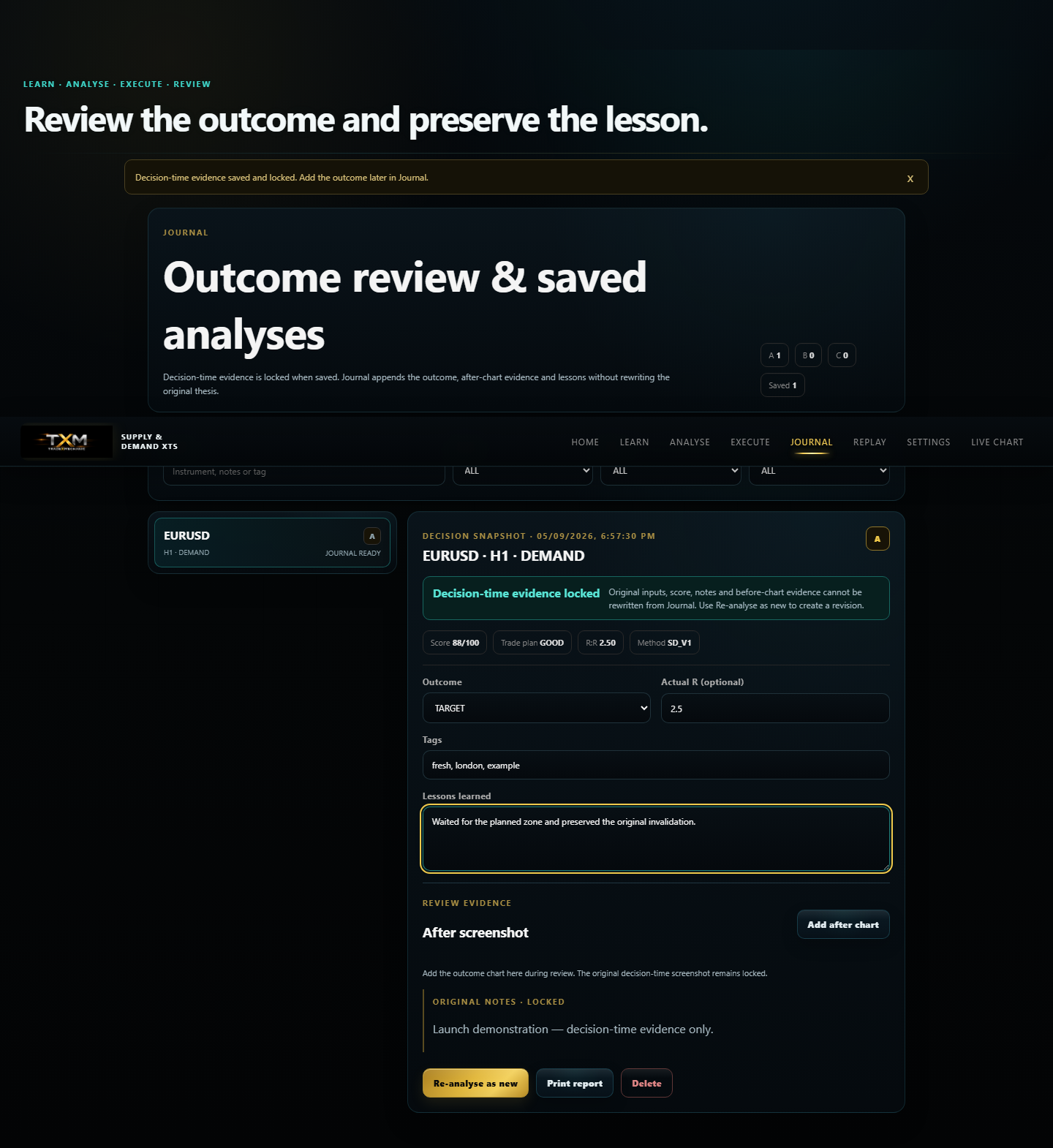
Review the setup after the outcome and separate a sound process from a lucky or unlucky result.

The same structured analysis flow remains usable on mobile without turning the product into a signal feed.
01 / 03No autoplay. Swipe, use the arrows or use your keyboard.
Preview disclosure. Promotional concept imagery may be AI-generated for demonstration. Where interface screenshots are shown, they are selected product previews. The complete real product screens and framework material are inside the toolkit.
WHAT YOU WILL LEARN
Build a repeatable decision process — not a collection of chart patterns.
By the end of Supply & Demand XTS, you should be able to work through a setup independently, identify what evidence is present or missing, and document why you acted or stood aside.
BY THE ENDYou should be able to assess a supply-and-demand setup from higher-timeframe context through post-trade review using one consistent evidence chain.
The objective is not to predict every market move. It is to make the quality of your process visible before the outcome is known.
Read the higher timeframe first
Establish broader context before deciding whether a lower-timeframe setup deserves attention.
Recognise the base behind the move
Identify consolidation and distinguish the origin of an impulsive move from random price congestion.
Judge zone quality
Assess freshness, prior interaction, departure strength and the evidence supporting a supply or demand area.
Evaluate the return
Review how price approaches the area and whether there is sufficient room to opposing structure.
Wait for confirmation
Define what evidence must appear before execution instead of anticipating a trade because price reached a zone.
Build the trade plan before commitment
Separate entry, invalidation, stop, target and reward-to-risk planning from the quality of the zone itself.
Practise without hindsight
Use Replay to lock a decision before the outcome is revealed and learn from both valid and rejected setups.
Review your own process
Use the Journal and saved evidence to identify recurring strengths, mistakes and missing checks over time.
What you leave withA structured Supply & Demand workflow you can apply to historical and live charts while retaining the ability to say NO TRADE when the evidence is incomplete.
WORKFLOW
Learn → Replay → Analyse → Qualify → Execute → Review
A repeatable progression designed to reduce impulsive decisions and hindsight bias.
01
Learn
Understand the evidence standard and the sequence.
02
Replay
Follow historical charts candle by candle and lock decisions before reveal.
03
Analyse
Record HTF context, zone evidence, room and confirmation.
04
Qualify
Determine whether the setup meets the framework rather than forcing a trade.
05
Execute
Define entry, invalidation, target and reward-to-risk before commitment.
06
Review
Compare the outcome with what was known at decision time.
RELEASE STANDARD
Finished customer product. Live secure checkout.
Supply & Demand XTS is commercially available at the approved AUD $129 launch price. Checkout is created server-side through the dedicated TradeXMechanic Stripe account, while delivery remains deliberately verified before the customer package is sent.
PRODUCTSupply & Demand XTS v1.0.2 Windows portable ZIP release.
COMPATIBILITYExtract the ZIP, run Start Toolkit.cmd and use the local browser app at 127.0.0.1. No broker login or software installer is required.
PRICEAUD $129 launch price, one-time. Introductory pricing may change.
PAYMENTSecure Stripe Checkout is active. The configured live price is verified server-side before a checkout session can be created.
ACCESSDigital delivery follows verified payment and is initially fulfilled manually. Includes 30 days of launch support.
BEFORE YOU BUY
Questions worth answering first.
The initial release is deliberately simple: one local-first Windows toolkit, one-time pricing and no broker connection.
Does it connect to my broker?
No. V1 does not require broker credentials and cannot place orders. It is a learning, analysis, planning and review application.
Is an A grade a trade signal?
No. The SD_V1 grade describes the supplied evidence. It is not a win probability, forecast or permission to enter a trade.
Where is my work stored?
V1 is local-first. Analyses, journal entries, preferences and screenshots stay in browser storage unless you export them.
How do I back up my work?
Use Settings → Export JSON and keep copies outside the browser. Clearing browser data or losing the device can remove local records.
Can I use it offline?
After a successful production load, the application shell supports offline reload. Your locally saved records remain browser-local.
What do I receive after purchase?
The initial release is a verified Windows portable ZIP. Extract it, run Start Toolkit.cmd and use the browser window opened on your own computer.
Is delivery instant?
Not initially. The first release is manually fulfilled after server-side payment verification using the checkout email. The success page alone is not proof of payment.
What support is included?
Thirty days of launch support covers delivery, startup/access and product technical issues. It does not include trade calls, financial advice or broker/account support.
BEFORE YOU BUYWindows computer · ability to extract a ZIP · modern browser · local storage enabled.
YOUR DATAV1 is local-first. Analyses and journal data stay in browser storage unless you export them. Use Settings → Export JSON to keep backups.
DELIVERYThe first release is manually fulfilled after server-side payment verification. A checkout success screen alone does not trigger delivery.
Supply & Demand XTS is an educational and process-support tool. It does not provide personalised financial advice, automated trading signals, broker execution or guaranteed outcomes. Trading leveraged markets can result in substantial loss.